Reports Screen
Purpose
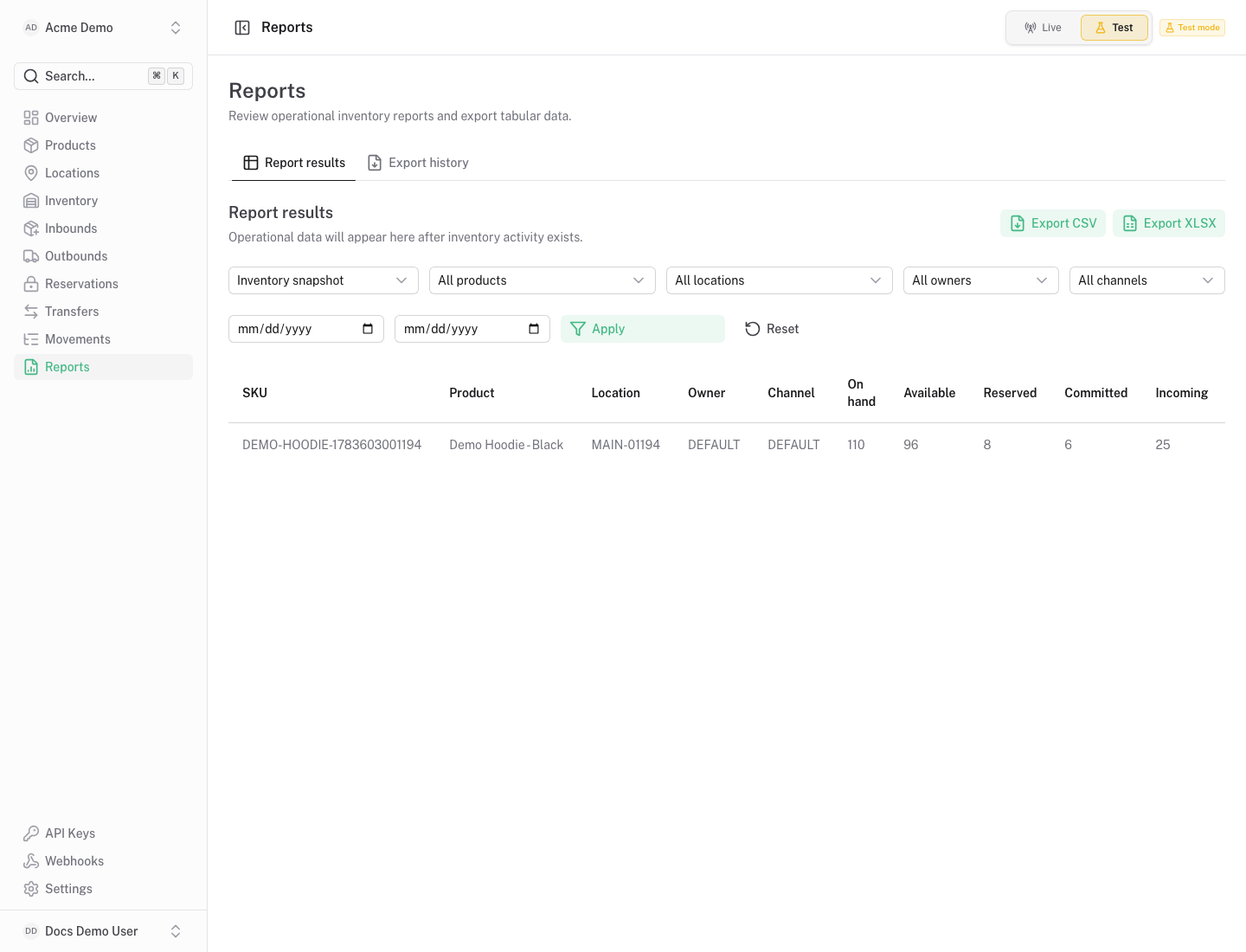
Section titled “Purpose”The reports screen gives structured views of inventory data and export jobs.
What You See
Section titled “What You See”- Report filters for inventory, movement and operational data.
- Tables or summaries for the selected report type.
- Export controls for CSV or XLSX snapshots.
- Export history with job status and download actions.
Available Actions
Section titled “Available Actions”- Change report filters.
- Refresh report results.
- Create export jobs.
- Download completed exports.
- Delete export jobs when appropriate.
Permissions
Section titled “Permissions”Organization members can view reports when backend access allows the selected report. Export actions require report/export permissions enforced by the backend.
Common States
Section titled “Common States”Exports are snapshots. If inventory changes after export creation, create a new export for the latest state.