Overview Screen
Purpose
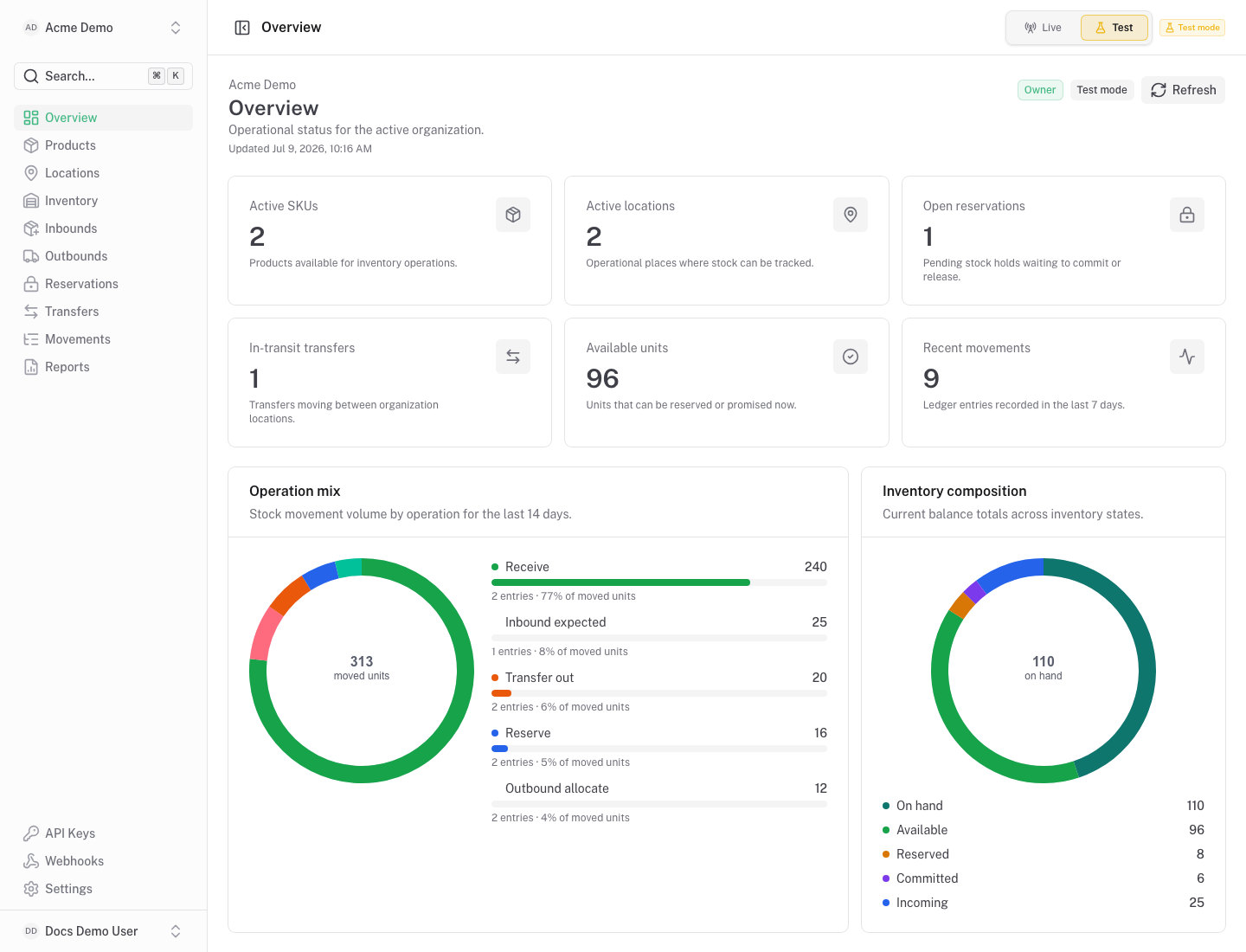
Section titled “Purpose”The overview screen is the first authenticated workspace screen. It summarizes inventory health for the active organization and environment.
What You See
Section titled “What You See”- KPI cards for active SKUs, locations, reservations, transfers and stock totals.
- Charts for movement activity and inventory composition.
- Attention sections for low availability, expiring reservations and in-transit transfers.
- Recent movements that explain the latest inventory changes.
Available Actions
Section titled “Available Actions”- Refresh overview data.
- Open products, locations or inventory from empty-state shortcuts when setup is incomplete.
- Follow movement and balance context into operational screens.
Permissions
Section titled “Permissions”Any organization member with workspace access can view the overview. The backend still scopes all data to the active organization.
Common States
Section titled “Common States”Empty overview states usually mean the organization has not created products, locations or stock movements yet.