Inventory Screen
Purpose
Section titled “Purpose”The inventory screen is the main operational surface for current stock state and direct stock operations.
What You See
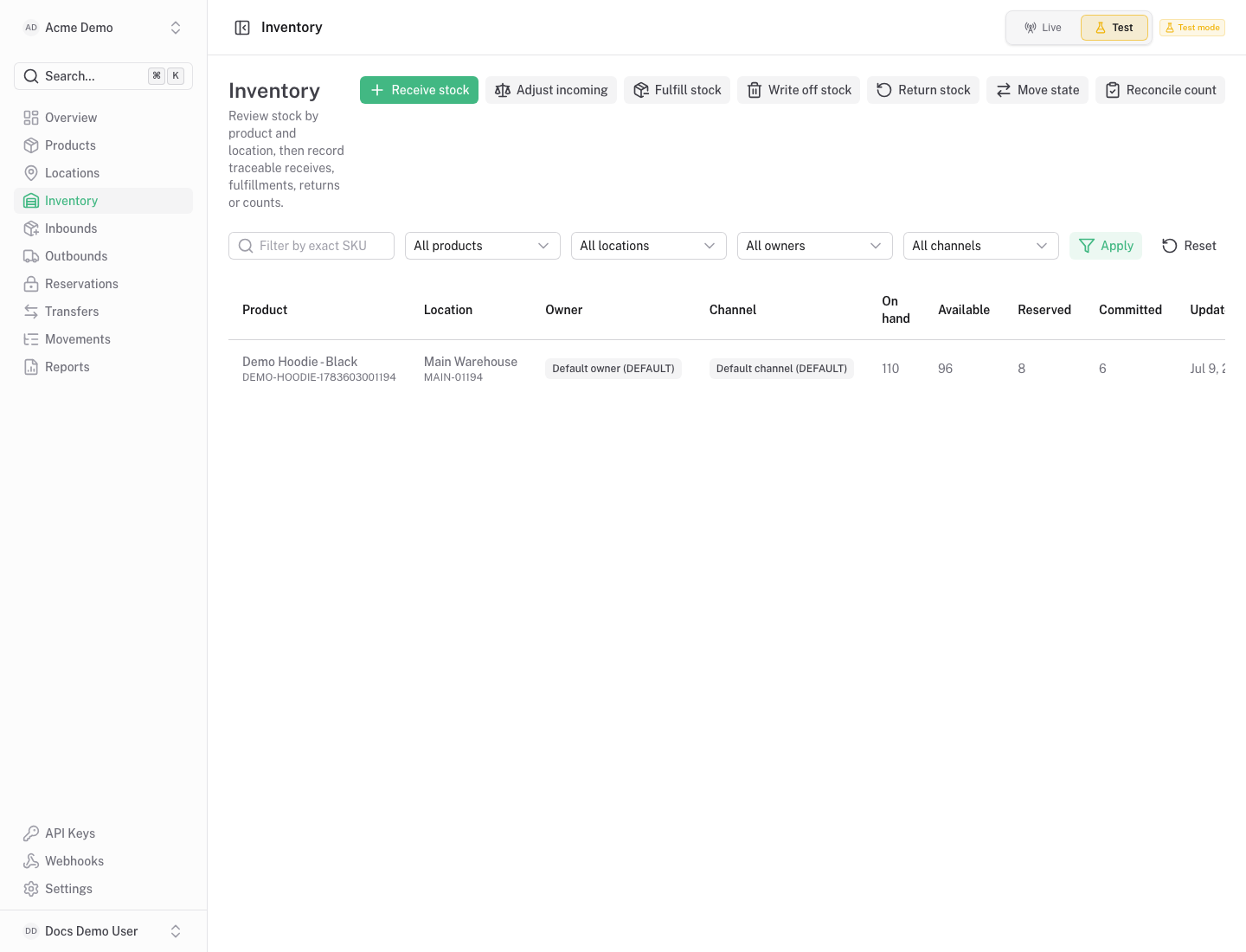
Section titled “What You See”- Balance table grouped by product, location and optional segment.
- Quantity columns for on hand, available, reserved, committed, incoming and other inventory states.
- Filters for products, locations and state.
- Actions for receive, adjust, fulfill, write off, return, move state and reconcile.
Available Actions
Section titled “Available Actions”- Receive stock.
- Adjust stock.
- Fulfill or write off stock.
- Return stock.
- Move stock between inventory states.
- Reconcile counted stock.
- Open a balance detail page.
Permissions
Section titled “Permissions”Reading balances requires inventory read access. Stock-changing actions require inventory write access and create ledger movements.
Common States
Section titled “Common States”Do not use this screen to directly edit totals. Use an operation so the movement ledger explains the balance change.